

Overview
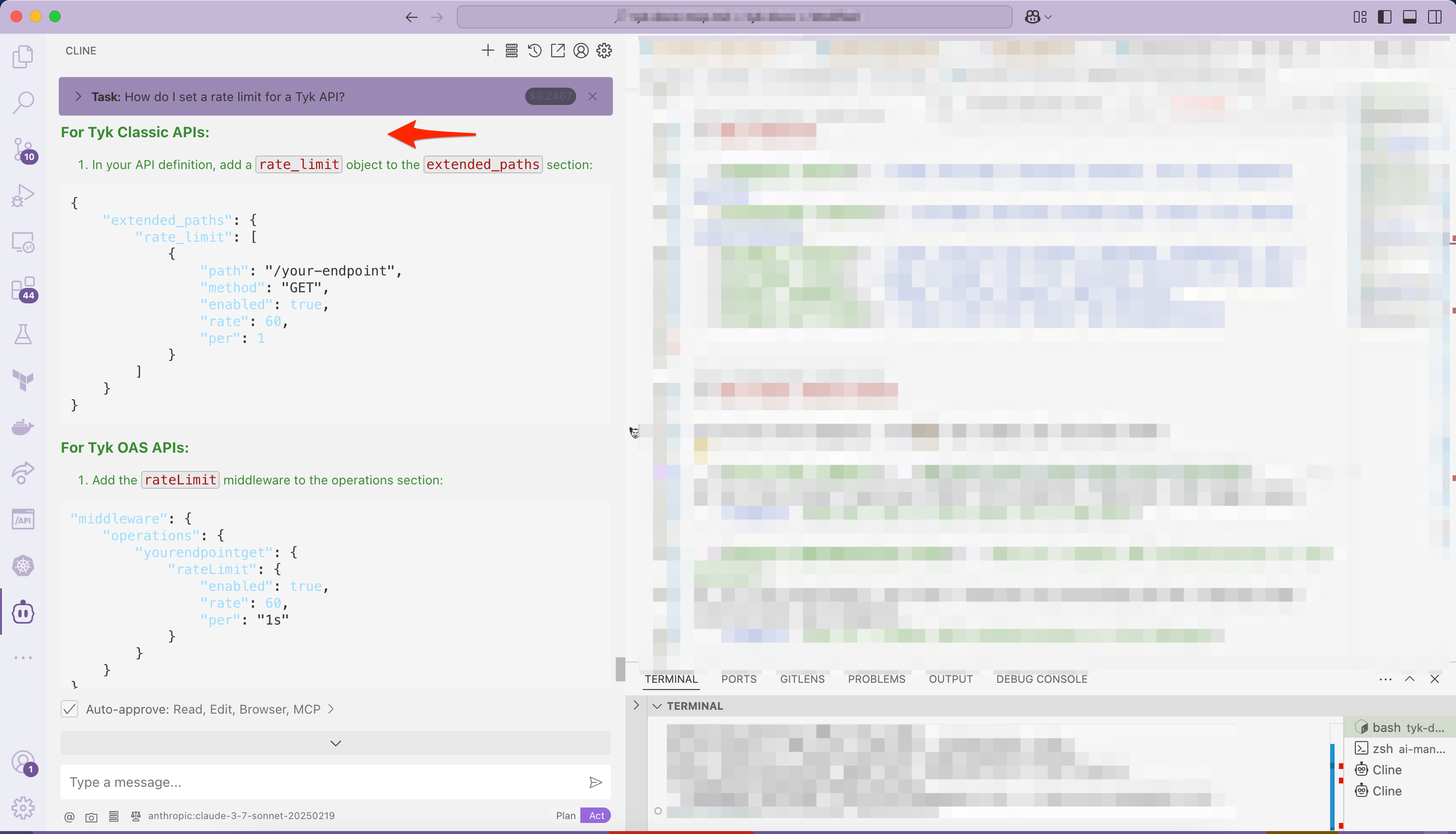
Tyk Docs MCP exposes the Tyk documentation to AI assistants. Instead of searching manually, users can ask natural-language questions and get answers backed by Tyk docs. The tool makes AI-assisted support, troubleshooting, and documentation exploration fast and reliable. Here you can see the AI assistant chooses to use Tyk Docs MCP (Cline in VS Code) while answering the query How do I set a rate limit for a Tyk API?: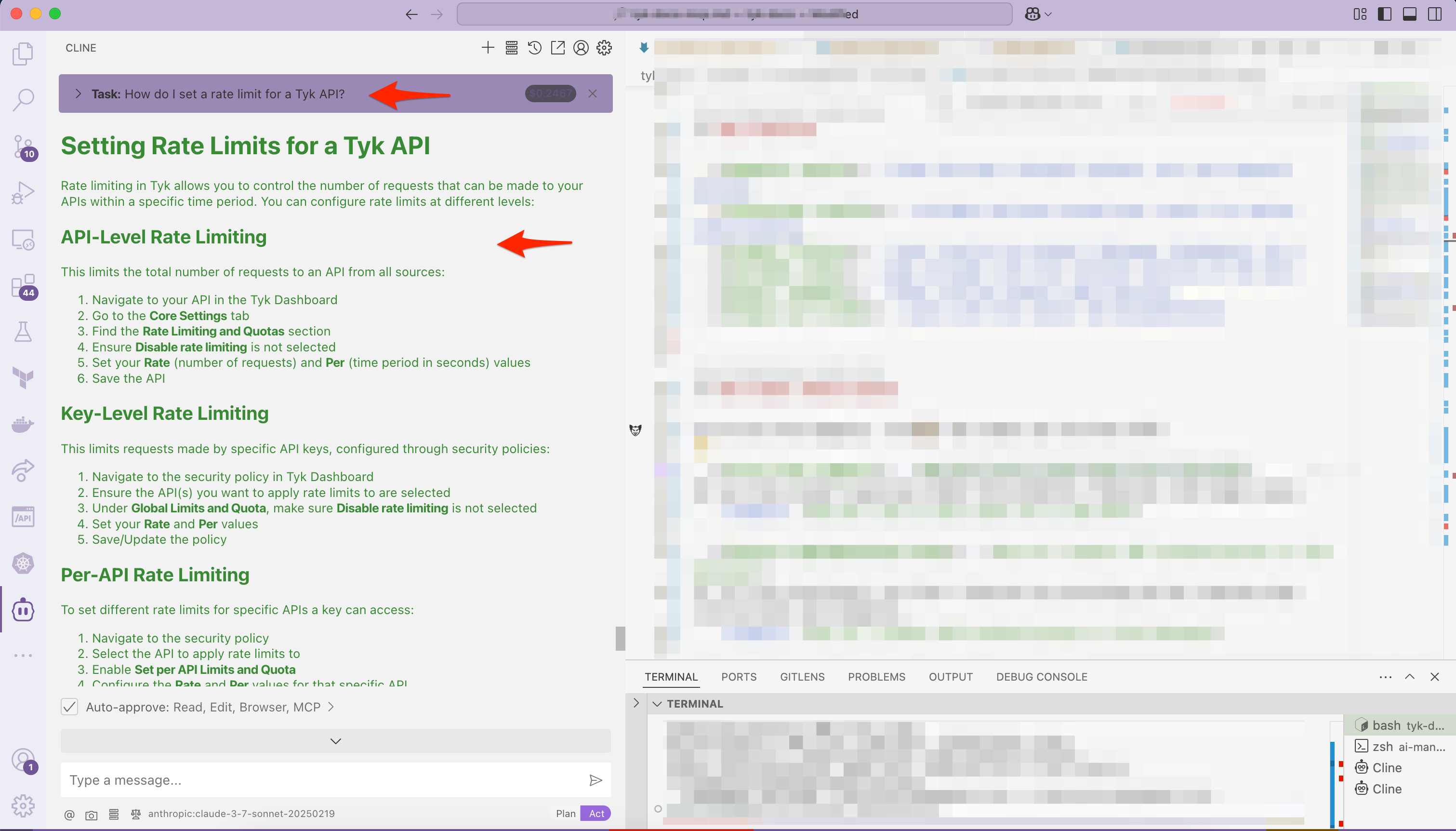
Key Features
- Semantic search — finds the most relevant content, not just keyword matches
- Contextual results — includes sections around your result for better understanding
- Product filters — limit results by product (Gateway, Dashboard, etc.)
- Includes links — jump straight into the relevant section of the docs
- Answer snippets — shows concise answers when possible
- Always up to date — syncs with the latest Tyk documentation
Use Cases
Let AI do the digging — here’s how teams use Tyk Docs MCP:-
First-line support - How do I set a rate limit for a Tyk API?
AI can help answer questions about Tyk products, features, and usage cases. -
Feature implementation help - How do I enable JWT authentication in Tyk Gateway?
AI can help developers use Tyk’s features by providing ad hoc step-by-step instructions and examples. -
Troubleshooting guidance - I’m seeing ‘Auth field missing’ error. What does that mean?
AI can help identify issues and provide guidance on how to resolve them. -
Fast API reference - What fields are in the /apis response?
AI can help developers quickly find the information they need to implement Tyk’s features. -
Discover what’s possible - What analytics tools does Tyk include?
AI can help developers discover new ways to use Tyk’s features and capabilities.
Quick Start
To get started, connect your AI assistant to the Tyk Docs MCP server, which is hosted remotely athttps://tyk.io/docs/mcp.
Requirements
- Node.js v18+ installed (needed to run
npx) - Internet access to reach
tyk.io - An MCP-compatible AI assistant, such as Claude Code, Claude Desktop, Cursor, VS Code, or Codex
Configure your AI Assistant
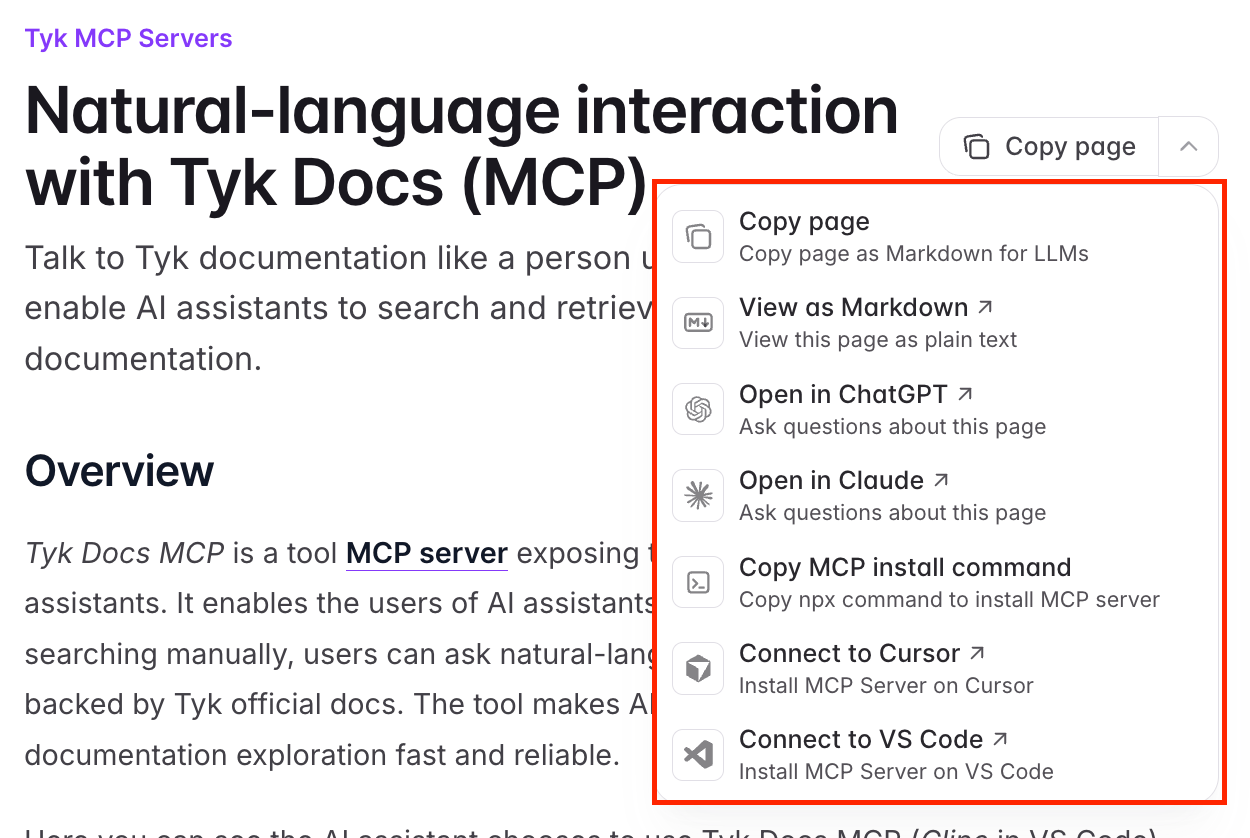
Step 1. The easiest way to connect is theadd-mcp CLI. It detects the AI assistants installed on your machine and adds the server to whichever ones you choose:
How It Works Under the Hood
Tyk Docs MCP is Mintlify’s built-in MCP server for the Tyk Documentation site. It indexes the live, published documentation, so results always reflect the current content, with no local package to install or keep up to date. Aside from asubmit_feedback tool, which lets a connected assistant report a documentation issue such as an incorrect, outdated, or confusing page directly to the Tyk docs team, the server is read-only.