

Availability
The Tyk AI Studio’s AI Portal provides a user-friendly web interface where end users can interact with configured AI capabilities. It serves as the primary access point for users to engage with Chat Experiences, view documentation, and manage their account settings.
Purpose
The main goals of the AI Portal are:- Unified User Experience: Offer a cohesive interface for accessing all AI capabilities configured within Tyk AI Studio.
- Self-Service Access: Enable users to independently access and utilize AI features without administrator intervention.
- Contextual Documentation: Provide integrated documentation and guidance for available AI services.
- Account Management: Allow users to manage their own profile settings and view usage information.
- Secure Access Control: Enforce permissions based on teams and organizational policies.
Key Features
- Chat Interface: Access to all Chat Experiences the user has permission to use, with a clean, intuitive UI for conversational interactions.
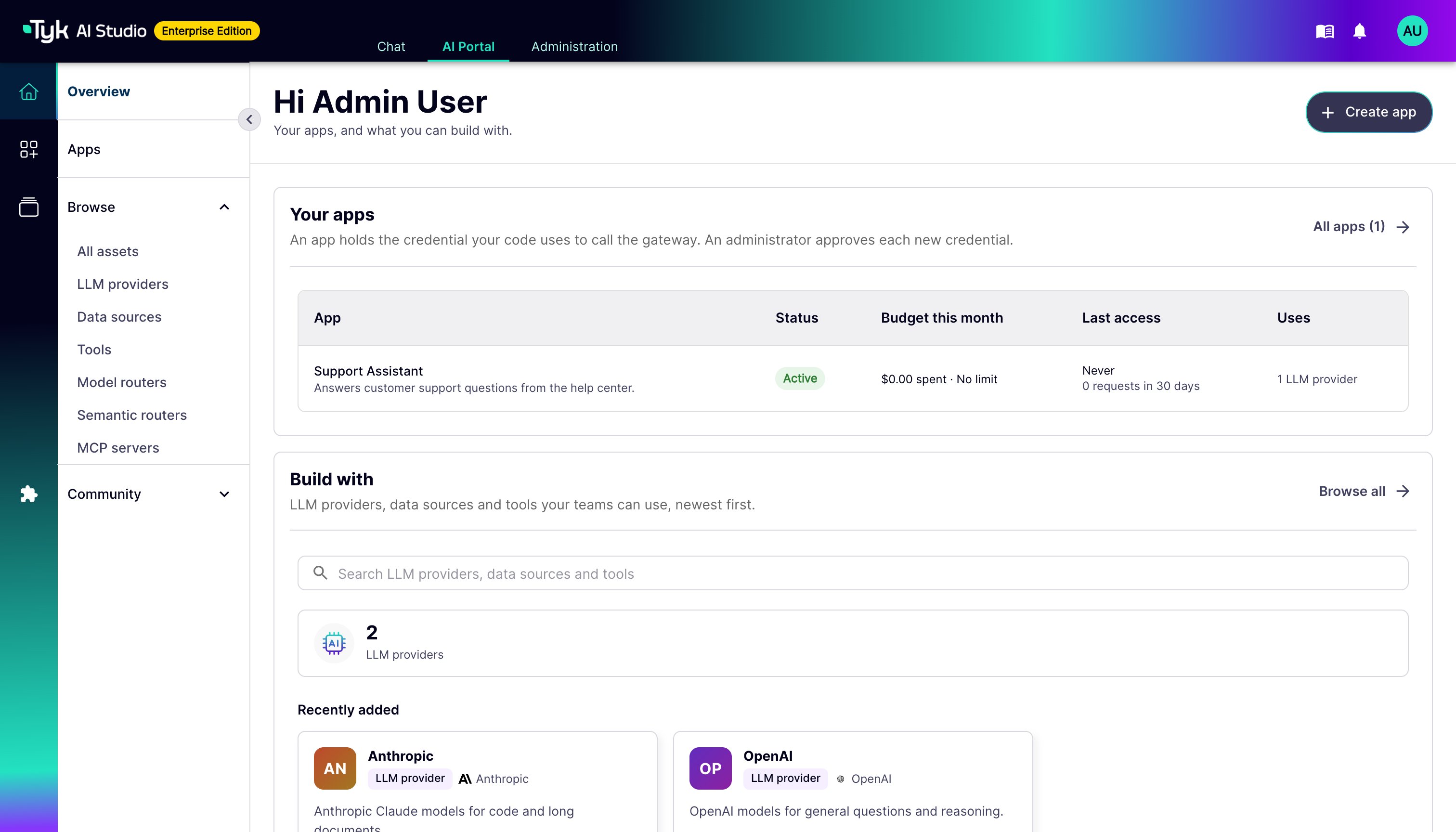
- Overview: The landing page for developers. It shows each App of the user, with its status, spend, last access, and requests in the last 30 days. It also shows the assets that the user can build with, by type, and the newest assets.
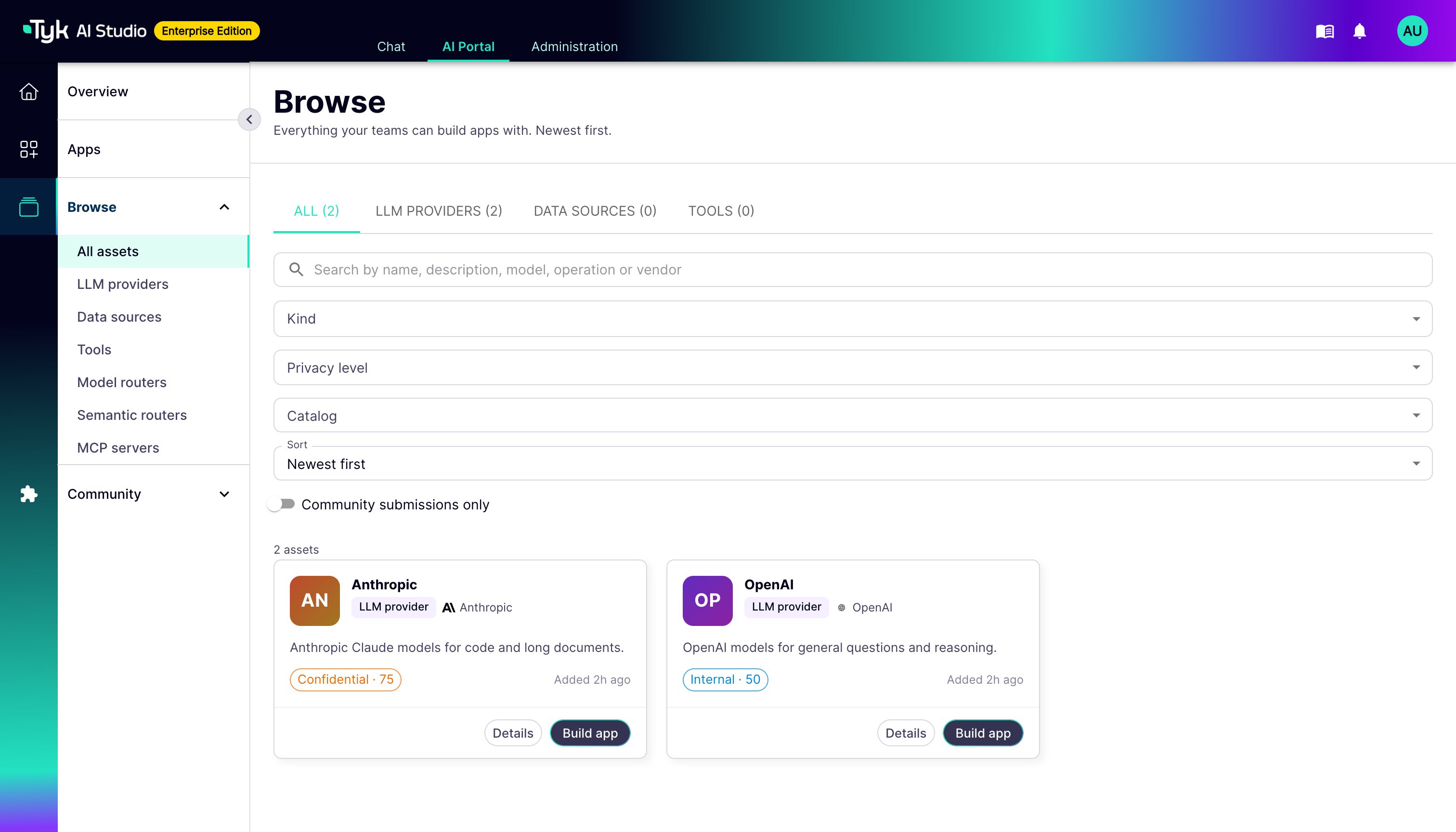
- Browse: One searchable catalog of all the assets that the user’s Teams can use, newest first. Assets include LLM providers, data sources, tools, routers, MCP servers, and plugin resources. You can filter by type, vendor, privacy level, catalog, and community submissions. Catalogs are a filter, not a level of navigation.
- Asset Detail Pages: Each asset has a detail page. The page shows the description, the models and allow list, the privacy level, and the endpoint base URL. It also shows the catalogs of the asset and the user’s Apps that use it.
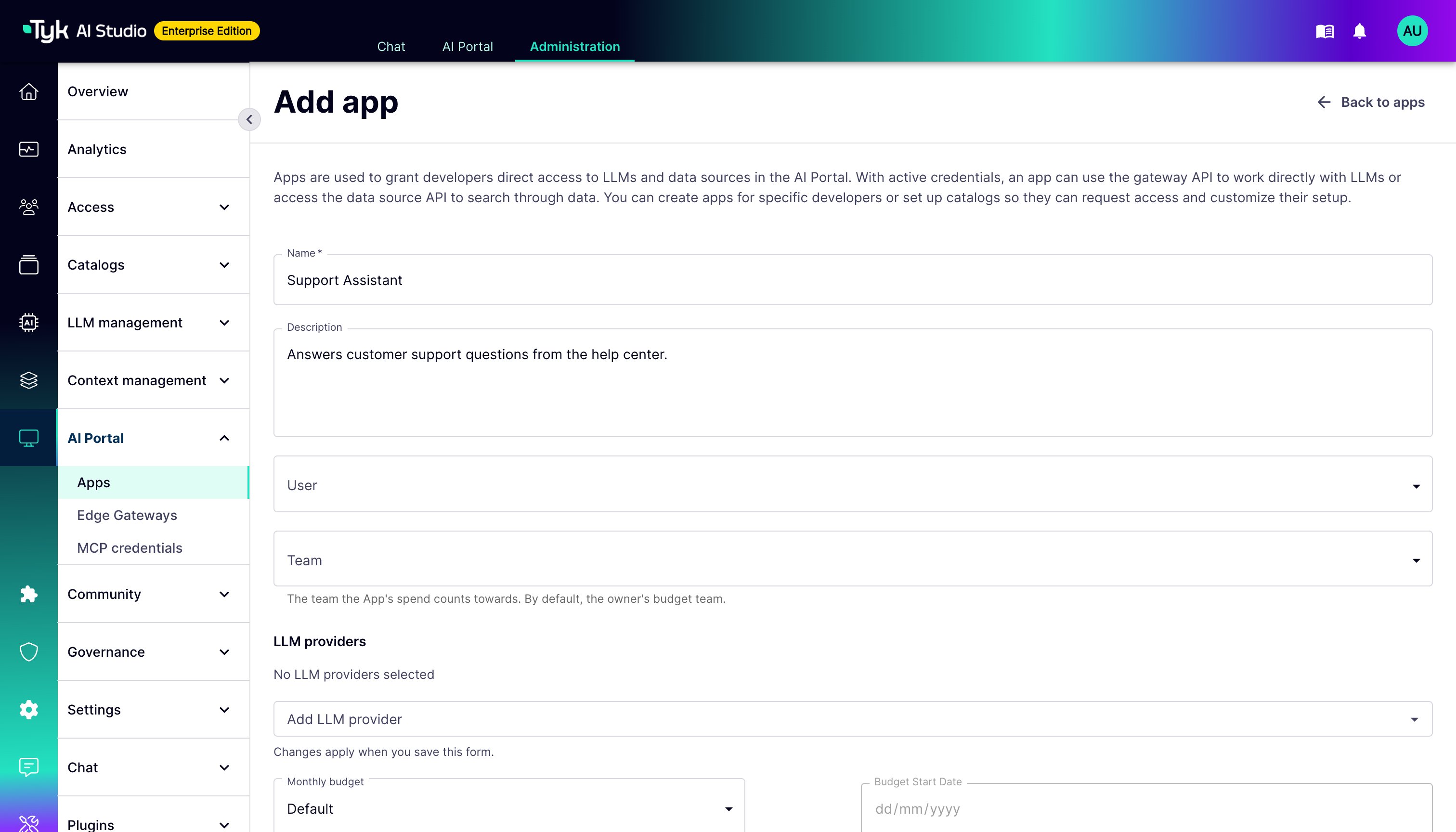
- Application Management: Create and manage Apps that integrate LLMs, tools, and data sources for API access.
- Documentation Hub: Integrated documentation for available AI services, tools, and data sources.
- User Profile Management: Self-service capabilities for updating profile information and preferences.
- History & Favorites: Access to past chat sessions and ability to bookmark favorite conversations.
- Responsive Design: Optimized for both desktop and mobile devices for consistent access across platforms.
- Customizable Themes: Support for light/dark mode and potentially organization-specific branding.
- Notifications: System alerts and updates relevant to the user’s AI interactions.
Using the AI Portal
Users access the AI Portal through a web browser at the configured URL for their Tyk AI Studio installation.- Authentication: Users log in using their credentials (username/password, SSO, or other configured authentication methods).
- Overview: After login, developers see the Overview page. It shows their Apps (status, budget, and last access) and the assets that they can build with. The search box opens Browse.
- Browse: Users search and filter one catalog of all the assets that their Teams can use. To start an App with an asset, they open its detail page and click Build app. The old per-catalog pages redirect to Browse, filtered by that catalog.
- Application Creation: Users create Apps. An administrator approves the credential. The App page then shows the endpoint details.
- Chat Selection: Users can select from available Chat Experiences to start or continue conversations.
- Documentation Access: Users can browse integrated documentation to learn about available capabilities.
-
Profile Management: Users can update their profile settings, preferences, and view usage statistics.
Plugin-Managed Assets
Some plugin resource types manage access themselves, for example the Prompts and Agents of the Asset Catalog plugin. When such a type declares its own AI Portal page, the Browse card opens that page directly. The plugin page shows the fields of the asset and the form to request access. A plugin page runs inside the AI Portal, so install only plugins that you trust. For the permissions and security rules of plugin pages, refer to AI Portal UI Plugins.Configuration (Admin)
Administrators configure the AI Portal through the Tyk AI Studio admin interface:- AI Portal Branding: Customize logos, colors, and themes to match organizational branding. See Branding.
- Available Features: Enable or disable specific AI Portal features (chat, documentation, etc.).
- Authentication Methods: Configure login options (local accounts, SSO integration, etc.).
- Default Settings: Set system-wide defaults for user experiences.
- Access Control: Manage which teams can access the AI Portal and specific features within it.
-
Custom Content: Add organization-specific documentation, welcome messages, or announcements.
API Access
While the AI Portal primarily provides a web-based user interface, it is built on top of the same APIs that power the rest of Tyk AI Studio. Developers can access these APIs directly for custom integrations:- Authentication API:
/api/v1/auth/...endpoints for managing user sessions. - Chat API:
/api/v1/chat/...endpoints for programmatic access to chat functionality. - User Profile API:
/api/v1/users/...endpoints for managing user information. - Datasource API:
/datasource/{dsSlug}endpoints for querying configured data sources, generating embeddings, and metadata filtering.
Datasource API
The Datasource API provides direct access to configured vector stores for semantic search, vector-based search, metadata filtering, and embedding generation.Text Search
Perform semantic search using a natural language query. The query text is automatically converted to an embedding vector.- Endpoint:
POST /datasource/{dsSlug} - Authentication: Bearer token required
- Request Format:
- Response Format:
Vector Search
Perform similarity search using a pre-computed embedding vector. Useful when you have already generated embeddings or want to use a custom embedding strategy.- Endpoint:
POST /datasource/{dsSlug}/vector - Authentication: Bearer token required
- Request Format:
- Response Format:
Metadata Query
Query documents using metadata filters only (no vector similarity search). Supports pagination.- Endpoint:
POST /datasource/{dsSlug}/metadata - Authentication: Bearer token required
- Request Format:
- Response Format:
Generate Embeddings
Generate embedding vectors for text chunks without storing them. The datasource must have an embedder configured.- Endpoint:
POST /datasource/{dsSlug}/embeddings - Authentication: Bearer token required
- Request Format:
- Response Format:
/datasource/{dsSlug} not /datasource/{dsSlug}/.
This API-first approach ensures that all functionality available through the AI Portal can also be accessed programmatically for custom applications or integrations.
The AI Portal serves as the primary touchpoint for end users interacting with AI capabilities managed by Tyk AI Studio, providing a secure, intuitive, and feature-rich experience.